Google Is Testing Local Results Without Your Call Button: What to Do This Month
Google is testing local results with no website, call or directions buttons, and no reviews or photos. What the November 2026 test and core update mean for your Google Business Profile, and the exact text to fix first.
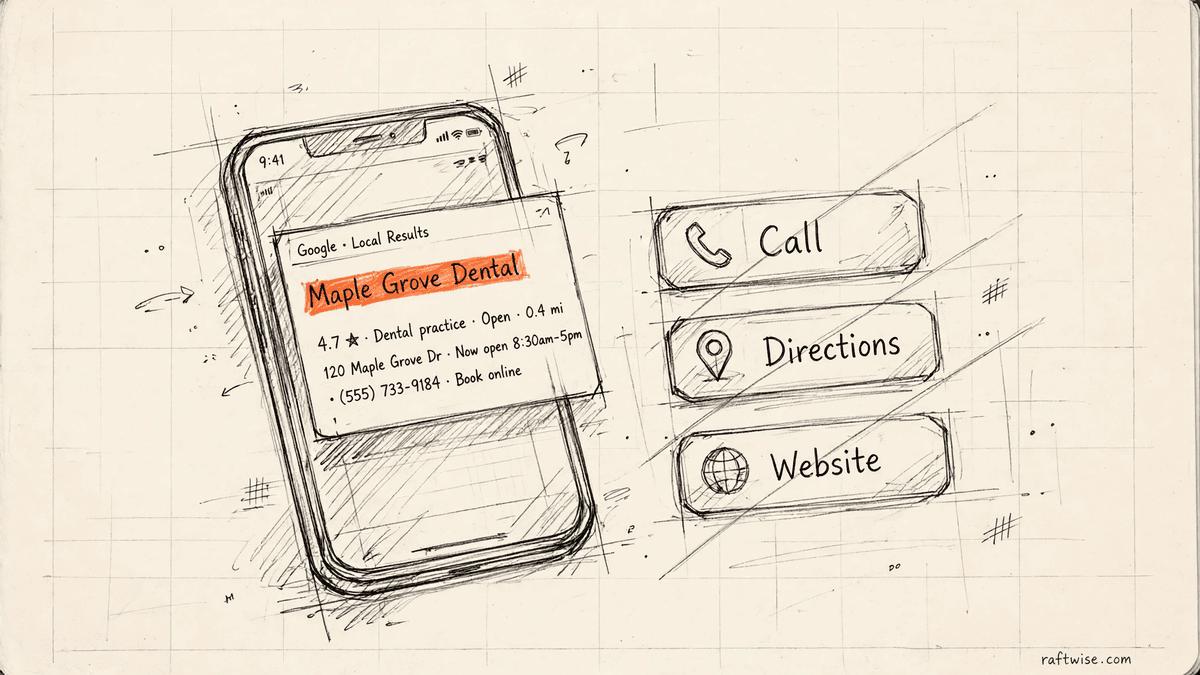
Quick Answer: Google is testing a version of local results on mobile with no website, call or directions buttons, and no reviews, photos, address or hours. What remains is your business name and a few lines of AI-written text taken from your Google Business Profile. Google has not announced the test, and it may never roll out. The fix is the same either way. Make the words in your profile accurate and complete, starting with your services list and description. Leave your website alone until the November core update finishes rolling out.
If you run a dental practice, this is written for you first. A patient searching "dentist near me" with tooth pain is exactly the person this layout hits: they do not want to browse a website, they want to tap call. The same work applies to any local business, and the checklist below holds for all of them.
Google is running two separate things at once in November 2026, and only one of them is real today.
The first is a core update, a broad change to how Google ranks pages. It started on 10 November, Google says the rollout may take up to two weeks, and it affects every website, including yours.
The second is a test, not a rollout. Some people on mobile are seeing a new version of the local results, the short list of nearby businesses for searches like "dentist near me". In this version the website, call and directions buttons are gone. So are your reviews, photos, address and opening hours. What is left is your business name and a few lines of text that Google's AI writes about you, using the words in your Google Business Profile.
Google has not announced this test. It may never roll out. But it points at something worth fixing either way: if Google ever has to describe your business in its own words, it will copy from your profile. This post covers what to write there, and what to leave alone while the core update is still moving.
Two different changes, and why they should not be mixed up
A core update and a test get talked about as if they were the same event. They are not, and treating them as one leads to bad decisions.
A core update changes the ranking rules underneath everything. While one is rolling out, positions move for reasons nobody outside Google can fully see yet. The right response is patience.
A test is Google showing a new layout to a small slice of people. Most tests are dropped. This one matters because it shows which parts of your listing Google considers essential: it kept your name and a short written description, and threw away everything visual.
What the test version of the local results actually looks like
In the normal local results, a customer sees a short list of businesses next to a map. Each shows its star rating, a photo, its hours, and three buttons: call, directions, and website. For many local businesses that call button is the most valuable thing on the page. A person with a toothache does not want to read your website. They want to tap and talk.
In the test version, reported by Search Engine Roundtable on 10 November after local search consultant Joy Hawkins flagged it on X, those buttons are removed, along with the reviews and the photos. Hawkins also reported that the address and hours are missing, and that on a phone the normal map results do not appear at all when this version shows. Barry Schwartz reproduced the test himself and published screenshots of both versions side by side. His summary was blunt: a version like this cannot be good for clicks, calls and direction requests.
One detail matters more than the rest. The test version still uses your Google Business Profile. Google brought in no new source. It removed the parts of your profile a customer can act on, and kept the words. What is left standing is text you wrote. Where you never wrote it, Google fills the gap from whatever else it can find.
The core update is the other half of November
Google released the November 2026 core update on 10 November, logged on its Search Status Dashboard, applying to all countries and all languages. Google says this rollout may take up to two weeks, which points to a finish around 24 November, just before Black Friday, as PPC Land's reporting notes. That lands in the busiest booking stretch of the year for many local businesses.
If your traffic or map positions wobble this month, the likely explanation is the rollout, not anything you broke. Core updates settle.
A useful split: question searches and service searches behave differently
Not every search is being reshaped at the same speed. On 3 November, Digital Regiment ran 30 local searches set to Fort Worth, Texas. For service-plus-city searches like "roofer in Weatherford", Google showed an AI Overview on only 2 of 15, and the map pack was first for 13 of 15. For question searches like "how much does a roof cost in Texas", it showed an AI Overview on all 15, at the very top.
The priority order writes itself. For your service in your town, the map and your profile still run the show, and your profile details win or lose that customer. For question-first searches, an AI answer is the first thing read, and it is also built from plain text about what you do. Both roads lead to the same work: say exactly what you do, where, and for whom.
Owners have been asking the same question all year: my rankings look fine, so why are my calls down? Part of the answer is that the page is changing shape around stable rankings. Fewer buttons and more AI text mean a business can hold its position and still be harder to contact. You cannot control the layout. You can control the text Google works with.
Exactly what to write in your Google Business Profile
This is the practical part. Work through these fields in this order. Most profiles have at least two of them thin or out of date.
Your business name and categories
Your name should be your real trading name, nothing added. Do not stuff it with keywords or a city. Google can suspend profiles for that, and a name that reads like an advert gives the AI text nothing trustworthy to repeat.
Your primary category is the most important single choice in the profile. Pick the category that matches the service that makes you the most money, not the broadest one available. Then add secondary categories for your other real services. In a text-only result, categories help decide whether you are named at all.
Your services list
Add every service you actually offer, one by one, using the names a customer would type. "Emergency dentist" and "root canal treatment" are services. A vague line like "full service practice" is not. Add a short description for each service and, where the profile allows it, a price. In a version of the results with no website button, a customer cannot go and read your services page, so this list has to carry that information on its own.
Your business description
Write this as if it were the only paragraph about your business that a customer will ever read, because in the test version it nearly is. Cover four things in plain sentences: what you do, who you do it for, where you do it, and one fact that makes you a safe choice, such as years in business or same-day appointments if you truly offer them. Avoid slogans. "Smiles reimagined" tells Google and the customer nothing. "Family dental practice in Plano offering same-day emergency appointments" tells both everything.
Questions and answers
Your profile has a questions section where anyone can ask and anyone can answer. Most owners never look at it, so the first answer a customer reads may come from a stranger. Ask and answer your own common questions there: whether you take new patients or clients, whether you offer free estimates, where to park, what a first visit involves. An AI summary can draw on this text too, so keep it accurate.
Hours, address and contact details
The test version hides hours and address, but the normal results show them, and most customers still see the normal results. Keep them exact, including holiday hours. A wrong closing time over Thanksgiving week costs real bookings right now, not in some future test. The same applies to your phone number: one correct number, the same everywhere your business is listed.
Photos
Photos do not appear in the test version. Add them anyway. They appear in the normal results, which is what nearly everyone sees today, and on your profile when a customer taps through. Real photos of your premises, team and work make a listing feel trustworthy at a glance. The lesson of the test is not that visuals stopped mattering. It is that your text has to stand on its own if it ever has to.
Reviews
Reviews also disappear from the test version, and they still matter today: the star rating in the normal results is often the deciding factor between two similar businesses. Keep asking happy customers for reviews and keep replying to them. If text-only results spread, the words inside reviews may carry more weight, because an AI description can reflect what customers repeatedly say about you. Reply in full sentences that name the service, not with a bare "thanks".
Our step-by-step Google Business Profile guide for dentists covers these fields in more depth.
Your week-by-week checklist for the rest of November
Week of 16 November, while the core update is still rolling out: Take a baseline. Note your calls, direction requests and website clicks from your profile for the past month, plus your positions for your five most valuable searches. Then work through the profile fields above. Do not touch your website pages yet.
Week of 23 November, as the rollout finishes: Check your holiday hours and set special hours for Thanksgiving and the December break. Add any missing photos. Reply to every unanswered review. There is no way to opt out of a test, so spend the time on accuracy instead of looking for a switch.
First week of December, at least a week after the rollout ends: Compare your numbers with the baseline. A single bad week during a rollout means little. A sustained drop in calls with steady positions points at the results layout, not your content. A sustained drop in positions for one service page is a content question, and that is the point to look at that one page.
Ongoing, once a month: Read your profile the way a stranger would. Search your main service and town on your phone, and fix the first wrong or missing fact you find. Fifteen minutes a month of this beats a yearly overhaul.
What not to panic-change during a core update
- Do not rewrite your service pages this week. A page that drops during the rollout may recover by the end of it. Changes made now also muddy the water: afterwards you will not know whether the update or your edit caused the next move.
- Do not change your business name, categories or address in a rush because positions moved. Profile edits can trigger a fresh review by Google, and a profile under review in your busiest weeks is a self-inflicted problem. Planned, accurate edits are different from reactive ones. Do the first kind, skip the second.
- Do not buy reviews, and do not panic-discount. Neither addresses a ranking change, and fake reviews risk the profile itself.
- Do not hire anyone this month on the promise that they can reverse a core update. Nobody can. Google's standing advice is to wait until the rollout completes, give it at least another week, then improve the pages that genuinely serve the searcher better. That advice is boring because it is the whole answer.
The honest limits of this news
Three things should be said plainly. First, the button-free local pack is a test seen by some people on mobile in the United States. Google has not confirmed it or said it will roll out. Second, nobody has yet measured its effect on real calls or bookings. Third, the core update is real and confirmed, but Google has not said what changed in it. Anyone claiming to know this week is guessing.
The advice above is worth following either way. If the test dies, you still have a sharper profile for the results that exist today. If it spreads, you have already done the work it rewards.
If you would rather not watch Google for a living
Everything in this post is work you can do yourself in a few sittings, and for many owners that is the right choice. Keeping up with Google's updates, your profile, your website and your local rankings is one job too many for some owners, and that is the job Raftwise exists to do. The Hub is your website. The Engine is the work that gets you found on Google and in AI answers. The plan is $299 a month, billed yearly, with a monthly report showing how many new clients your site sent you. Book a free consultation and we will tell you what we would fix first, in the same order as the checklist above.
Related Raftwise guides
- The Complete Google Business Profile Guide for Dentists (2026)
- Why Your Dental Practice Doesn't Rank in the Map Pack (And How to Fix It)
Sources and further reading
- Search Engine Roundtable: Google AI Overview local pack drops action buttons, photos and reviews
- Stealth Digital: Google's AI local pack hides your reviews
- PPC Land: Google's core update may run until three days before Black Friday
- Digital Regiment: Do AI Overviews show up for local searches?
- Google: Tips to improve your local ranking
Written by Riya Gupta. Reviewed by the Raftwise Editorial Team for accuracy, clarity, and relevance to independent dental practices.
Frequently Asked Questions
More on Local SEO



Want to know where your next patients are leaking?
We'll review the search and conversion gaps tied to this topic, then show you the highest-priority fixes for your practice.