Google Business Profile for Churches: The Listing a First-Time Visitor Reads Before Your Website
When a family searches "church near me", they judge your Google listing before they ever reach your website. How to set up your church Google Business Profile properly: category, service times, photos, questions and reviews, in the order a visitor reads them.
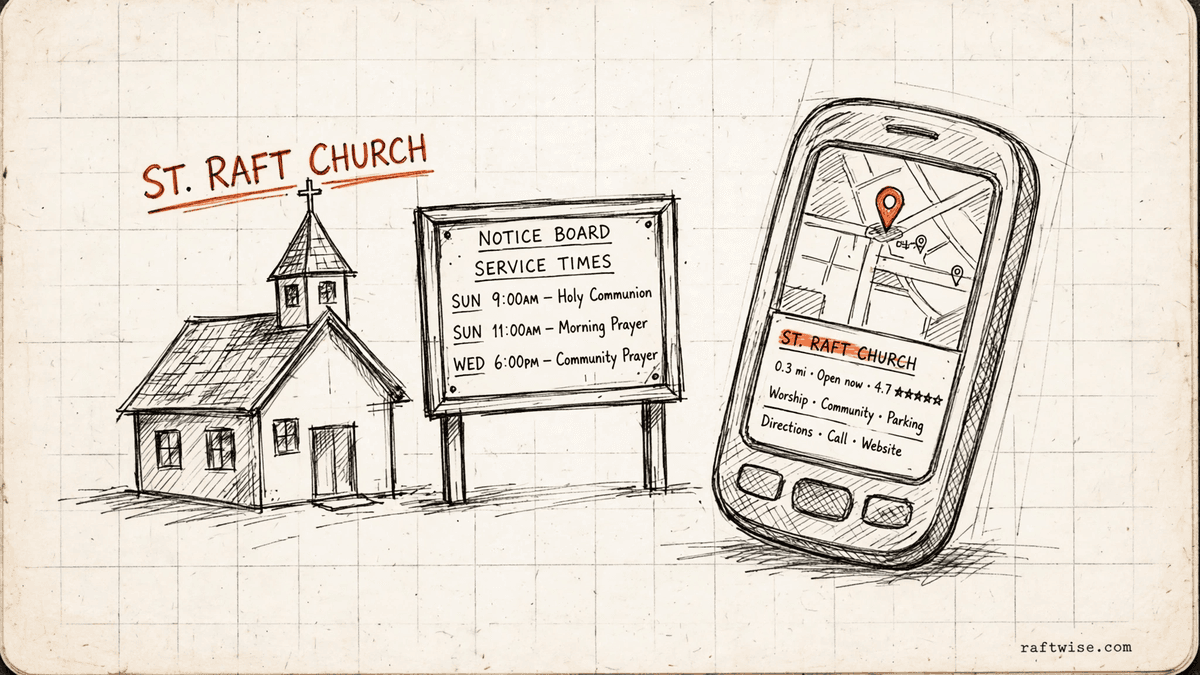
Quick Answer: Your Google Business Profile is the first thing a family reads when they search "church near me", and many decide from the listing alone. Claim it, use your real name and the right category, keep service times exact including holidays, write the description for a stranger, add real photos and your ministries as services, and answer the common visitor questions yourself. Fifteen minutes a month keeps it true.
A family that has just moved to your town does not start with your website. They start with a phone, late in the week, and a search like "church near me" or "churches in" your town. What they see is a short list of churches. Each one is a name, a star rating, a photo, an address and service times.
That list is your Google Business Profile at work. It is free, Google maintains the format, and you control most of the content. Churches often treat it as a directory entry to set once and forget. Visitors treat it as the church itself, in miniature. If the times are wrong, the photo is a stock image of a building that is not yours, or the newest review is two years old and unanswered, the family quietly picks the next church on the list.
This guide walks through the profile field by field, in the order a visitor reads it. It is the companion to our broader local SEO guide for churches: that guide covers how families find a church at all, and this one covers the single listing that does the most work.
Your name and category: the two fields Google weighs most
Your church name on the profile must be your real name, exactly as it appears on your sign. Do not add your town, your tradition or a slogan to the name field. Google can suspend listings that stuff extra words into the name, and a name that reads like an advert gives a visitor nothing solid to trust.
Your primary category is the most important choice after the name. It tells Google which searches your church belongs in. Pick the category that matches what your church is. If a more specific category names your tradition and fits honestly, use it. Then add secondary categories only for things you truly run: a food pantry, a preschool, a counselling service. Each one puts you in front of a different real search. Adding categories for ministries you do not have puts you in front of people you will disappoint.
Service times: the fact visitors check twice
Visitors look up your service times twice. Once while deciding, usually midweek, and once on Sunday morning, often from the car. Both times they trust what the listing says.
Keep three habits. First, enter your regular times carefully, and re-check them after any schedule change, including summer hours. Second, set special hours for holidays. Christmas and Easter are exactly when new visitors try a church, and exactly when times differ. A family that arrives at the listed time and finds a locked door or a service half over rarely comes back to check whether the listing was at fault. Third, make the times on your profile, your website and your social pages match. When the three disagree, a visitor believes none of them.
The description: write it for the family that has never visited
Most church descriptions are written for members. They use words only insiders know, and they describe history when a visitor wants to know what Sunday feels like.
Write four plain things instead. Where you are, in words a newcomer can place: the neighbourhood or the landmark, not just the street address. When you meet. What a service is like: how long it runs, what the music is like, what people wear, in honest everyday language. And who is there: families, students, older members, a mix, so a reader can picture themselves in the room.
A useful test: hand the description to someone who has never been to your church and ask them to tell you what to expect on Sunday. Where they hesitate, the description is thin. Rewrite that part.
Services and ministries: list the week, not just Sunday
Your profile has a services section, and most churches leave it empty. Fill it with the real shape of your week, using the names a visitor would type: Sunday morning service, midweek Bible study, youth group, children's ministry, food pantry, recovery group.
This does two jobs. It answers the visitor's quiet question, which is whether a church has anything for their stage of life. And it gives Google plain words to match against searches, including searches that never mention the word church, like "food pantry near me".
Photos: real beats polished
Add photos of the building from the street, so a visitor recognises it on arrival. Add the entrance they should use. Add the sanctuary as it actually looks on a normal Sunday, and real photos of your people: the welcome team, the children's check-in desk, coffee after the service.
Stock photos work against you here. A visitor comparing your glossy stock sanctuary with the real room feels misled before they have met anyone. Honest photos of a modest, cared-for building beat beautiful photos of someone else's.
Questions and answers: answer them before a stranger does
Your profile has a questions section where anyone can ask a question and anyone can answer it, including people who have never visited. Most churches never look at it, so the first answer a visitor reads may be wrong, old or unkind.
Ask and answer your own common questions there: where to park, what happens with children and how check-in works, what to wear, how long the service lasts, whether there is step-free access. Seeding these answers is not gaming anything. It is the church answering its own door.
Reviews: a slow, honest record
Reviews are the part of the profile you cannot write yourself, which is why visitors trust them. You can still care for them well.
Ask naturally. After a good Sunday, a baptism or a community event, a simple line works: if today helped you, a Google review helps the next family find us. Reply to every review in a full sentence that sounds like a person. For a critical review, reply once, calmly and briefly, thank them for the feedback, and invite a conversation offline. Never argue in public, never buy reviews, and never steer only happy visitors to Google while sending unhappy ones to a private form. Google forbids that split, and visitors can smell it anyway.
A monthly fifteen minutes
Profiles decay quietly: a time changes, a ministry ends, a photo ages, a question sits unanswered. Once a month, search your own church on your phone the way a stranger would. Fix the first wrong or missing fact you find. Check holiday hours ahead of the season, not during it. That short habit is worth more than a yearly overhaul, because the listing a visitor reads is the listing as it stands this week.
If you would rather not watch Google for a living
Everything in this guide is work a church administrator or a willing volunteer can do in short sittings. Keeping the profile, the website and your local rankings accurate, month after month, is also a job in itself, and it is the job Raftwise exists to do. The Hub is your website. The Engine is the work that gets you found on Google and in AI answers. The plan is $299 a month, billed yearly, with a monthly report showing how many new visitors your site sent you. Book a free consultation and we will tell you what we would fix first, in the same order as this guide.
Related Raftwise guides
Sources and further reading
Written by Riya Gupta. Reviewed by the Raftwise Editorial Team for accuracy, clarity, and relevance to independent churches.
Frequently Asked Questions

Want to know where your next bookings are leaking?
We'll review the search and conversion gaps tied to this topic, then show you the highest-priority fixes for your church.